Pages
Create Required Pages
1. How to create a new page?
Before using PrintHive theme, you need to import some default pages by the following steps:
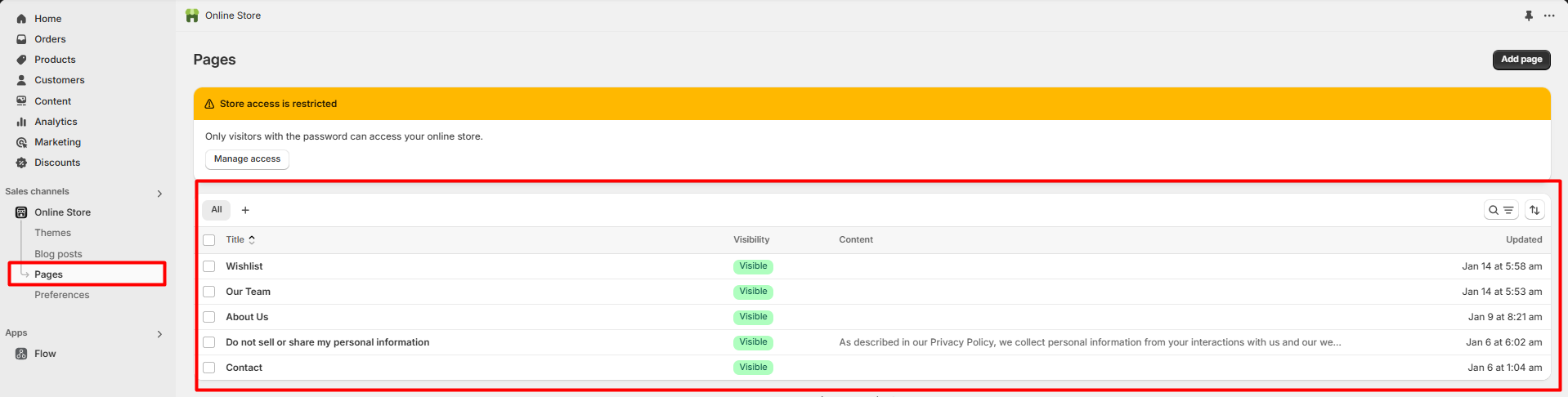
Step 1: Login to your Shopify store, go to Online Store > Pages
Step 2: Click to Add page and create 10 cms pages as below:
Contact
Wishlist
Compare
Term & Condition
Size Guide
Privacy Policy
Our Stores
FAQs
About us
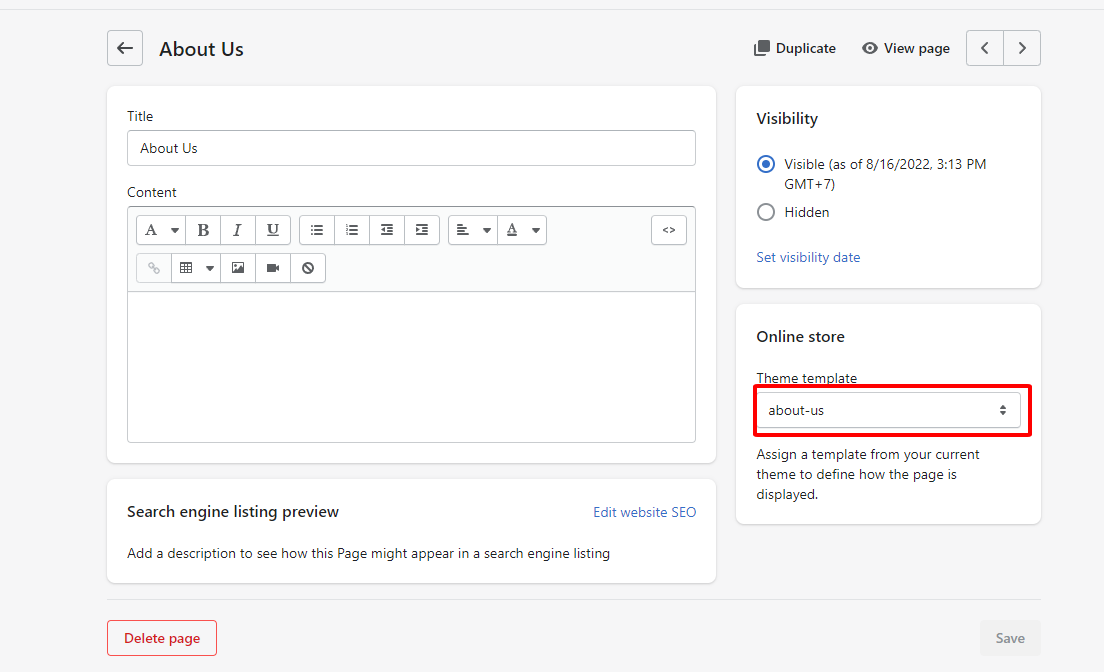
2. Create a new page with demo content
There are 3 pages that have sample content. Please follow these steps to those pages.
Term & Condition
Step 1: Create page new page
Title: Term & Condition
Visibility: Visible
Theme template: Default page
Step 2: Click to block code icon to change to Show HTML
You need to change to Show HTML before copy template so that the content will be shown like our demo store
Step 3: Copy sample template below and paste to Content
Size guide
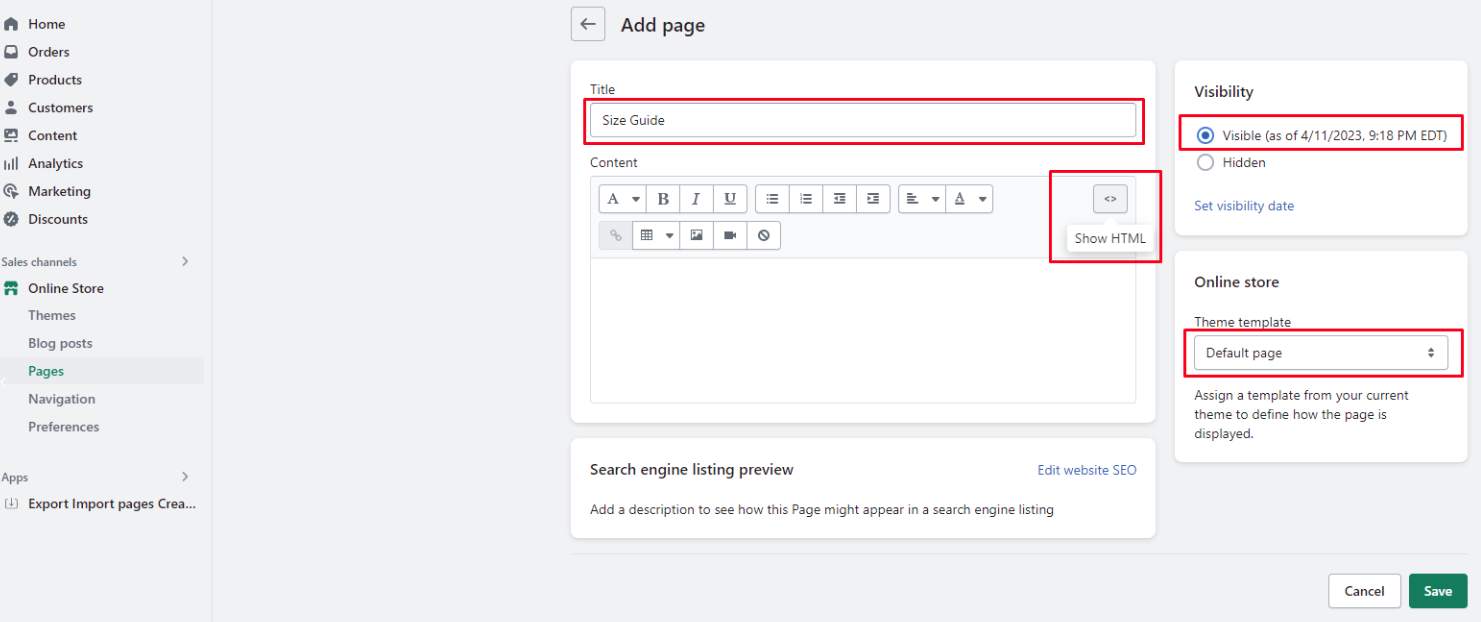
Step 1: Create page new page
Title: Size Guide
Visibility: Visible
Theme template: Default page
Step 2: Click to block code icon to change to Show HTML
You need to change to Show HTML before copy template so that the content will be shown like our demo store
Step 3: Copy sample template below and paste to Content
3. Create a new page without demo content
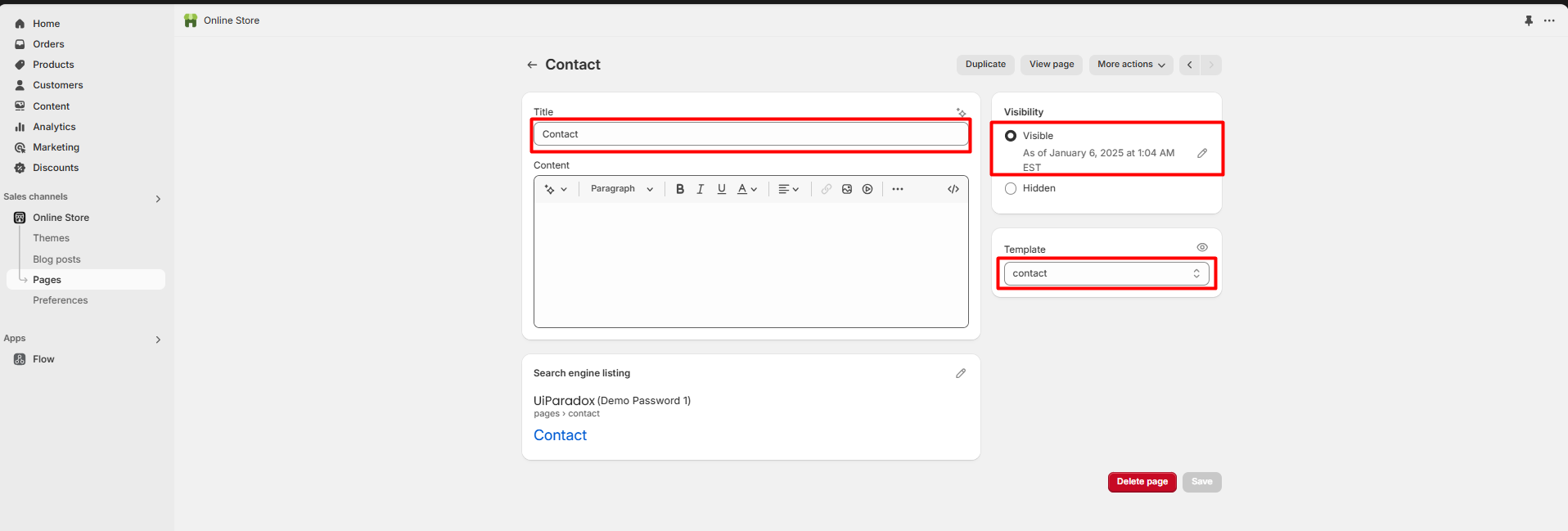
Contact
Title: Contact
Visibility: Visible
Theme template: contact
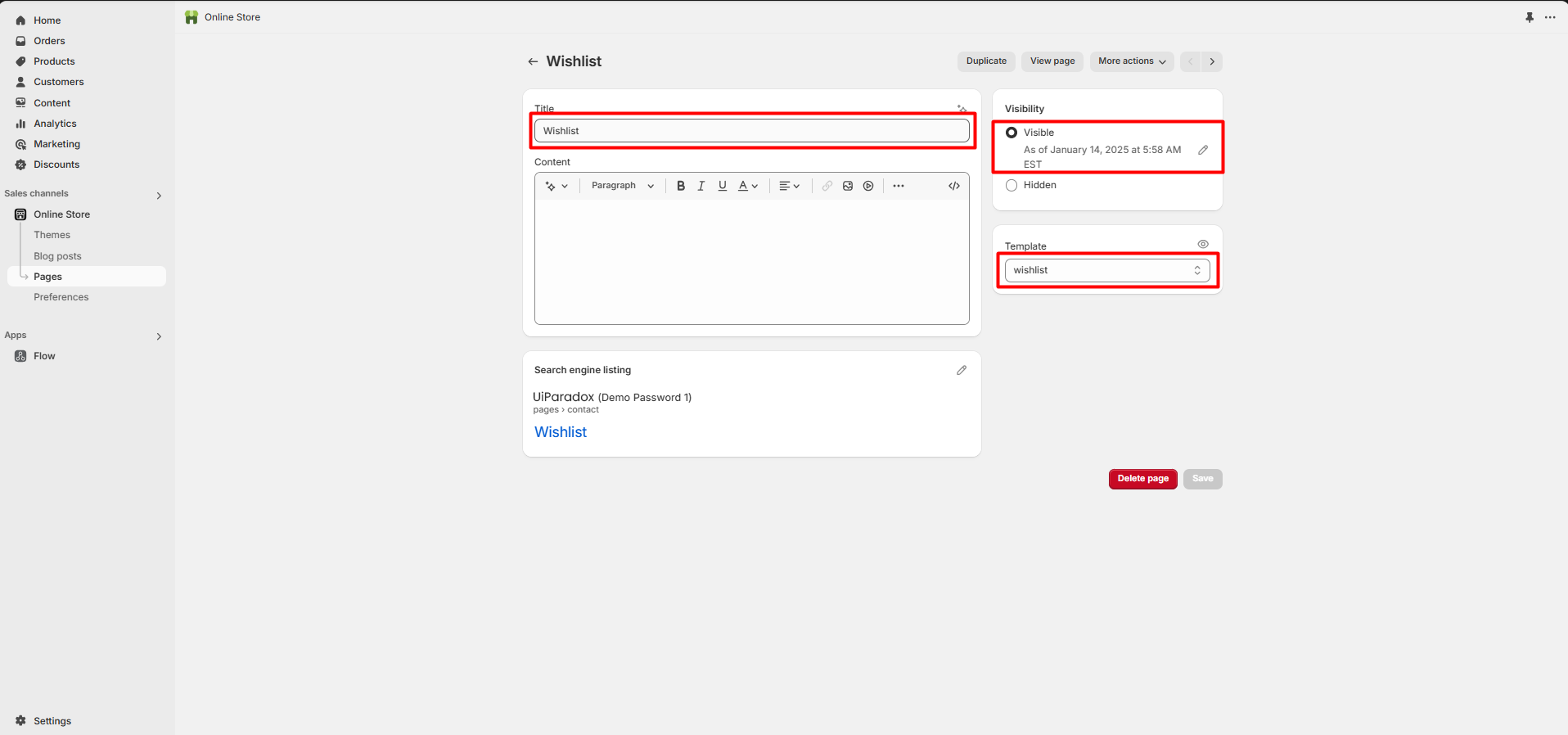
Wishlist
Title: Wishlist
Visibility: Visible
Theme template: wishlist
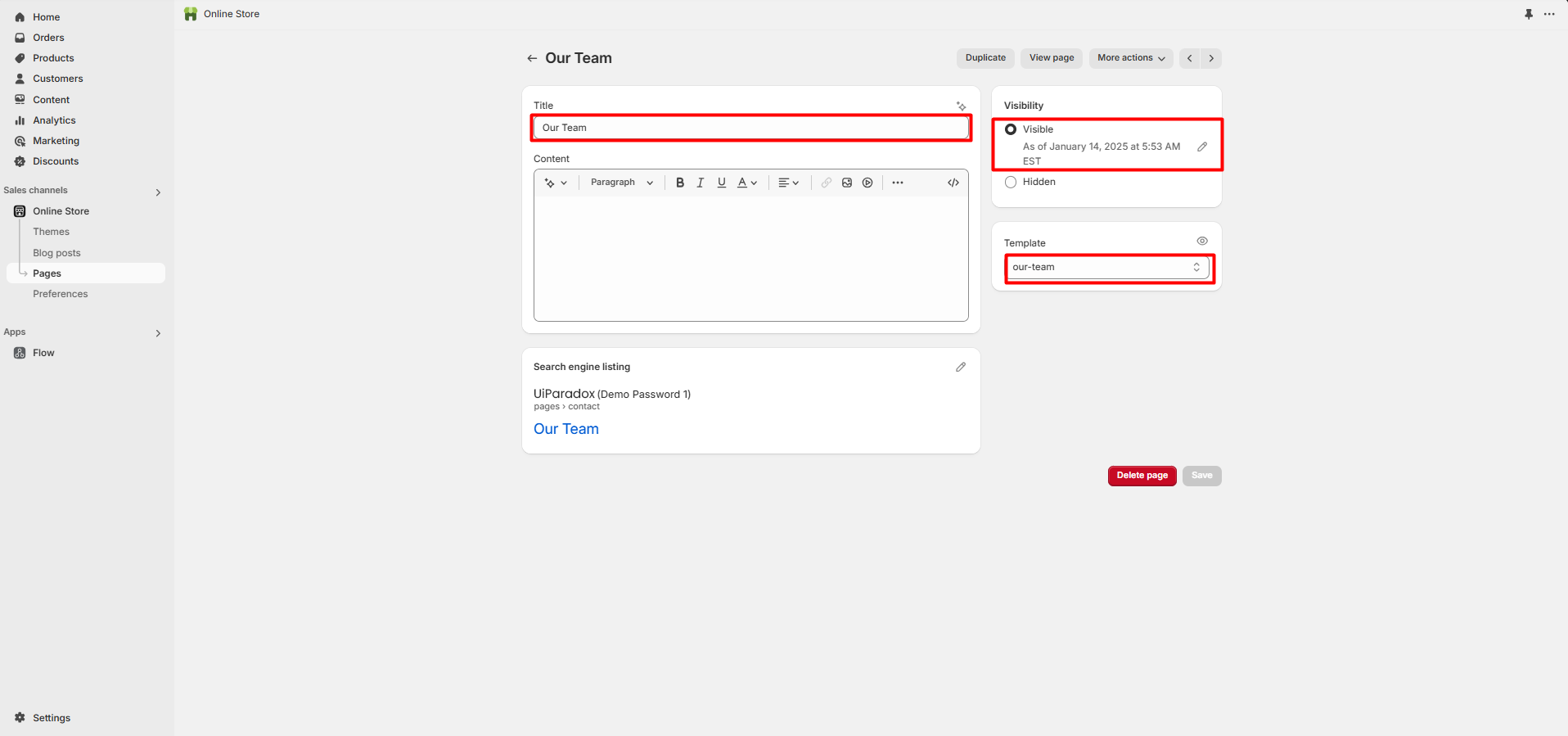
Our Team / FAQ's / etc
Title: Our Team
Visibility: Visible
Theme template: team
All the pages visibility must be set to visible.